Git Worktrees for Concurrent Coding Agents
Git worktrees let multiple agents work in parallel without corrupting each other's code.
Two coding agents working in the same directory will eventually overwrite each other's progress, and the result is not a slowdown but silent corruption. This piece covers why that happens, how git worktrees fix it at the filesystem level, and what it takes to run Claude Code and Codex in parallel without the setup falling apart on day two.
The four failure modes that emerge when two agents share a working directory
Picture two agents pointed at the same checkout, both with the same package.json open, both mid-task. One agent writes a change to a shared config file while the other is still reasoning about its old contents. Nothing crashes. Nothing warns anyone. The first agent's edit simply vanishes under the second agent's write, and the only sign something went wrong arrives later, when a test fails for a reason that has nothing to do with the feature either agent was building.
That is the first failure mode: file collisions. One agent's in-progress edits get overwritten by another's, and the losing changes disappear without an error message. The second is context contamination. If an agent reads a file while another agent is mid-edit, it builds its plan on a state of the codebase that never actually existed as a stable thing. Its conclusions are wrong before it writes a single line of its own. The third is index corruption: two agents running git add at the same time can corrupt the shared staging area, and this failure is invisible at the exact moment it happens, becoming visible only when someone tries to commit or diff. The fourth is conversation confusion, where an agent's internal model of the codebase, built from what it has read and written so far, drifts away from what is actually on disk, so every subsequent edit compounds a gap that started small.
None of these four modes announce themselves. They look, variously, like flaky tests, mysterious merge conflicts, or an agent that seems to be "hallucinating" a file structure that used to exist. The instinct many teams reach for first, running separate full clones of the repository for each agent, avoids some of this but introduces its own cost: disk space multiplies with every clone, each clone needs its own remote tracking setup, and reconciling five independent histories back into one branch becomes its own project. Cloning treats the symptom. It does nothing to address the actual structural issue, which is that two agents need independent working state without needing independent copies of the repository's entire history.
What a git worktree is and how it solves the problem at the filesystem level
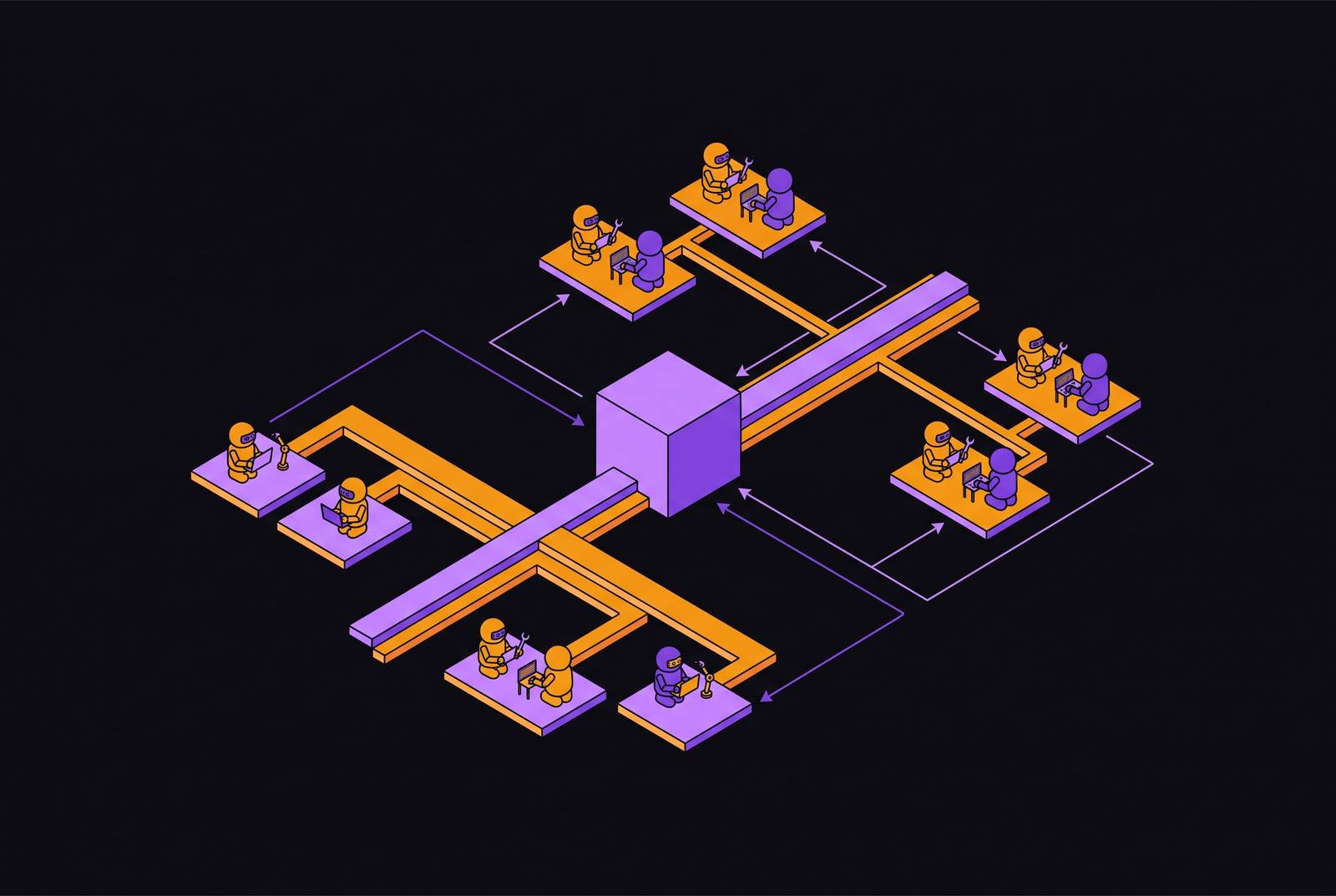
A git worktree is a linked working directory that shares a single.git object database with the main repository while giving each checkout its own HEAD, its own index, and its own set of working tree files. That combination, shared history with separate working state, is what makes it different from cloning. Nothing about the commit history, the object database, or the refs gets duplicated. Only the files an agent actually touches exist twice.
Each linked worktree is marked by a.git file, not a folder, containing a single line that points back to the main repository: gitdir: /path/main/.git/worktrees/<name>. Git uses this pointer to keep the worktree-specific data (HEAD, the staging area) separate while pulling shared resources (the object database, refs, configuration) from the original repository.
That structure closes all four failure modes described above. File collisions stop happening because an edit made in one worktree has no path by which it can reach the files in another; each agent only ever sees its own directory. Context contamination stops because uncommitted work in one worktree stays invisible to every other worktree, so an agent reading the repository never stumbles into a half-finished edit nobody told it about. Index corruption stops because each worktree keeps its own index, so two agents staging files at the same time are operating on entirely separate data structures, not fighting over one. And conversation confusion stops because each session commits to its own branch, so what the agent believes is on disk and what's actually on disk stay in sync.
One constraint matters enough to flag before setting any of this up. Git will not let the same branch be checked out in two worktrees at the same time. Every worktree needs its own branch, minted specifically for that session.
The core commands needed to work with worktrees directly:
git worktree add -b feature-auth ../auth-work main   # create worktree on a new branch
git worktree list                                     # see all active worktrees
git worktree remove ../auth-work                      # remove when done
git worktree prune                                     # clean up stale administrative files
How Claude Code and Codex handle worktree creation natively
Both of the dominant terminal coding agents build worktree support directly into their command-line interface, but the two paths are not interchangeable, and a reader following one tool's steps should not expect them to carry over to the other.
Claude Code's documentation (from Anthropic) recommends worktrees explicitly for multi-session workflows, describing them as a way to run several Claude sessions at once on different parts of a project, each session scoped to its own independent task. Running claude --worktree feature-auth creates the worktree at .claude/worktrees/feature-auth/, on a branch named worktree-feature-auth branched from the repository's default remote branch, and starts the session there in a single command. Leaving out the name causes Claude to auto-generate one. Passing a pull request number instead, as in claude --worktree "#1234", fetches that PR's head commit from origin and creates the worktree at .claude/worktrees/pr-1234/.
Lock in two settings from the first session: add .claude/worktrees/ to .gitignore, so the contents of every worktree Claude creates don't show up as untracked files cluttering the main checkout. And if new worktrees should branch off current, uncommitted work rather than a clean main, set worktree.baseRef to "head" in settings.
Claude's cleanup behavior depends on how the session ended. An unnamed session that made no changes has its worktree and branch removed automatically on exit. A named session that made no changes prompts the user to keep or remove it. A session with actual changes or commits also prompts the user. Claude Code also supports worktree isolation for subagents: adding isolation: worktree to a subagent's frontmatter tells the orchestrating session to provision a fresh worktree automatically for each parallel subagent it spawns. A single top-level Claude session can hand off to several parallel subagents this way, each one filesystem-isolated, without anyone manually running git worktree add for each.
Codex takes a more composable approach. The Codex CLI gained a native --worktree flag in version 0.154.0, and that behavior has been on by default since version 0.156.0. The alternative path, useful when more manual control is wanted, is to create the worktree with the standard git worktree add command first and then point Codex at it directly using codex --cd ../myapp-api (or the short form, -C). That same --cd flag works on codex exec for non-interactive runs, which is the mechanism by which batches of parallel Codex jobs get scripted across several worktrees without a human in the loop for each one.
Making a fresh worktree runnable before the agent starts
A worktree, the moment it's created, contains only the files Git tracks. Everything Git ignores, environment files, local config, secrets, is simply absent. An agent launched straight into that directory will spend its first several actions discovering that the project doesn't start. Getting a worktree from "created" to "runnable" is a short checklist, and skipping any item on it is where teams lose the time they thought worktrees would save them.
Gitignored files need to be carried across deliberately. Claude Code supports a .worktreeinclude file at the project root, written in .gitignore syntax, that tells Claude which gitignored files to copy automatically into worktrees it creates through --worktree, through subagent isolation, and through parallel desktop-app sessions. That automatic copy does not apply to worktrees created by the EnterWorktree tool, or when a WorktreeCreate hook is configured, so those paths still need manual handling. List .worktreeinclude entries such as .env, .env.local, and config/secrets.json.
Worktrees isolate files. They do nothing about ports, databases, or external accounts, and each of those needs its own isolation plan assigned per worktree. Two agents each running npm run dev on port 3000 is actually the good outcome, since the second one fails loudly at launch. The fix is to assign a distinct port range to each worktree and write it into that worktree's own .env file. Database isolation needs similar treatment: two agents running migrations against the same database at the same time will corrupt shared state, and the two common mitigations are running a separate SQLite database per worktree or prefixing test database names with the worktree's branch name. A shared Docker daemon causes its own version of the same problem, with container names colliding between agents; the fix is to prefix container names with the branch name, or to run Docker Compose with projects scoped to each individual worktree.
One more setup step pays for itself without costing much: dropping a task-specific CLAUDE.md into each worktree directory, giving that particular agent narrow scope instructions such as "only touch files under src/auth/". Because each worktree is its own directory, that instruction file has no effect on any other agent running elsewhere, which makes it a cheap way to keep an agent's attention where it belongs.
All of this is tedious to do by hand every time, and teams that run worktrees regularly tend to encode it in a single setup script instead. One documented pattern is a bash function that takes a task name as its only argument, mints a timestamped branch, creates the worktree, runs the project's install command, and launches the agent, all in one call. What would otherwise be five manual steps, each one a place to forget something, becomes a single command typed once per task.
Four patterns for splitting work across worktrees so agents do not collide semantically
Worktrees solve the problem of two agents writing to the same file at the same time. They do nothing to stop two agents from changing the same underlying behavior from opposite ends of the codebase, one agent altering how authentication tokens are issued while another changes how they're validated, say, each unaware the other is touching the same contract. Preventing that kind of collision is a matter of how work gets divided before any agent starts, not a matter of directory structure.
The most common starting point, and the one most teams reach for first, is one worktree per independent task. Each agent gets its own isolated directory for work that touches a distinct module: Agent A works on authentication, Agent B works on a specific bug fix, Agent C works on performance. This pattern works cleanly when the tasks really are independent. The decomposition has to happen up front, with enough care that the modules involved don't overlap. Branches in this pattern should be named after the task rather than after the agent running it: agent/auth-refactor tells a future reader looking at the Git log what happened, where something like claude-session-2 tells them nothing.
A second pattern, useful for a narrower set of situations, runs multiple agents on the same task in parallel, each in its own worktree, and keeps whichever result turns out best while discarding the rest. This comparative or ensemble approach suits tasks where the design constraints are genuinely ambiguous and exploring several directions at once saves real wall-clock time compared to trying one approach, discovering it's wrong, and iterating sequentially. A documented version of this setup spawns several agents on branches named attempt-refactor-1, attempt-refactor-2, and so on, then evaluates the outputs and cherry-picks the strongest one.
A third pattern runs agents in sequence, structuring the handoff between them through commits. An analysis agent commits a specification to a branch; an implementation agent reads that spec and commits working code; a review agent reads the code and commits its notes; a test agent reads the review and writes tests. Each stage happens in the same worktree, checking out the previous stage's branch before it begins its own work. This avoids the complexity of merging separate branches together while still leaving a complete, inspectable history of how the work progressed from spec to tests.
A fourth pattern, alongside the first as a common starting point for teams new to this workflow, places a human developer in the main checkout while one or more agents run uninterrupted in sibling worktrees next to it. The developer can switch branches, stash changes, and move around the main checkout freely without ever disturbing an agent's working state in its own worktree, and vice versa. The practical gain here is that a developer can review an agent's diff directly from the main checkout, using git diff main..agent/task-a, without pausing either side's work to do it.
Across all four patterns, a sibling directory layout is preferable to a nested one: a main checkout at ~/code/myproject/ sitting alongside ~/code/myproject-feature-a/ and ~/code/myproject-feature-b/, rather than worktrees placed inside the main repository's own directory tree. Nesting worktrees inside the repo root creates its own gitignore hygiene problem, since the worktree directories then need to be explicitly excluded from the main checkout's own tracked files.
Tools that wrap worktree management for AI workflows
A small ecosystem of tools has grown up specifically around managing worktrees for AI agent workflows, ranging from lightweight CLI wrappers to fuller visual orchestration layers, and each one takes on a different slice of the manual setup described above. One example is agentree, a CLI tool built for quick worktree creation in AI-agent contexts: running agentree -b fix-auth in one terminal and agentree -b ui-fixes in another spins up two isolated worktrees with a single short command apiece, without requiring the full git worktree add incantation or a hand-rolled setup script.
Tools in this category exist because the underlying mechanics, branch naming, directory placement, environment file copying, port assignment, are the same every time a worktree gets created for an agent, and that repetition is exactly the kind of thing worth automating once a team settles into this way of working rather than treating each new worktree as a one-off decision.